





Mama Bear
3 weeks ago
★★★★★
The service was fantastic- courteous, knowledgeable and honest.Excerpt from Google review

Garage Door Problems
When a garage door keypad or code stops working, first test the wired wall control and a known remote. If both still operate the door, the likely causes are the keypad battery, PIN or programming, radio interference, compatibility, or the keypad itself—not the moving door.
Safety references reviewed 2026-08-05.
LiftMaster, Chamberlain, Genie, Wayne Dalton, Clopay, and Amarr.
The exterior keypad lights but does not operate the door, accepts the PIN only sometimes, closes the door but will not open it, works only from very close range, or stopped after a power outage, battery change, opener reset, or new remote programming. The wired wall control may still work normally because it uses a direct connection, while the keypad communicates through the opener's radio receiver and stored access programming.
What you're seeing
A keypad failure can begin with a depleted or cold-weakened battery, corroded battery contacts, worn buttons, water intrusion, an expired temporary PIN, lock or vacation mode, erased programming, the wrong programming procedure for the learn-button generation, radio interference, incompatible keypad hardware, full receiver memory, antenna trouble, or a logic-board fault. If handheld remotes fail at the same time, the shared receiver or environment becomes more likely than the keypad itself. If only one digit is unreliable, the keypad membrane may be worn even though its backlight works.
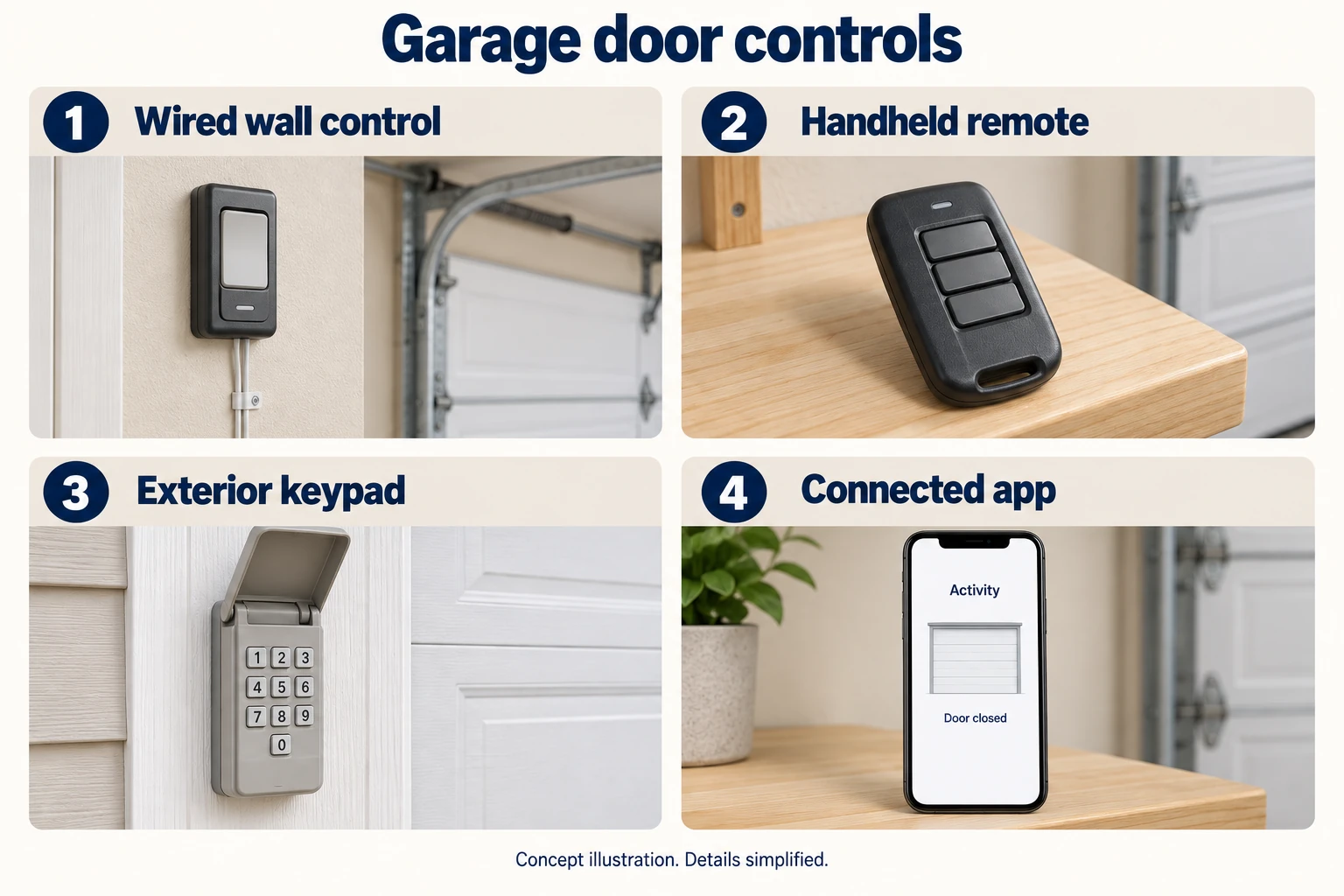
A keypad can fail while the wired wall control still operates the door. Comparing the keypad with other controls helps distinguish one device from a shared radio or receiver problem.
Select the image to enlargeHomeowner checks
Keep the door in view whenever testing an exterior control. Do not share PINs in service photos, screenshots, or public messages. If an unknown PIN or device operates the door, secure the garage and reset authorized access deliberately. Clearing receiver memory can disable every remote and vehicle transmitter, so it should be done with all authorized devices available and with a plan to restore only known controls.
The service path verifies keypad and opener compatibility, battery voltage, button response, PIN mode, lock status, receiver memory, programming sequence, radio range, antenna condition, and interference. A known-compatible control is used to distinguish keypad failure from receiver failure. Damaged weather seals, contacts, or keypad hardware are replaced when appropriate; receiver or logic-board work is considered only after multiple transmitters show the same fault. The final test confirms intentional open and close commands, safety-sensor operation, and removal of unauthorized or obsolete access codes.
This is handled by our Garage Door Opener Repair service. Check availability for your ZIP and exact service address before scheduling.
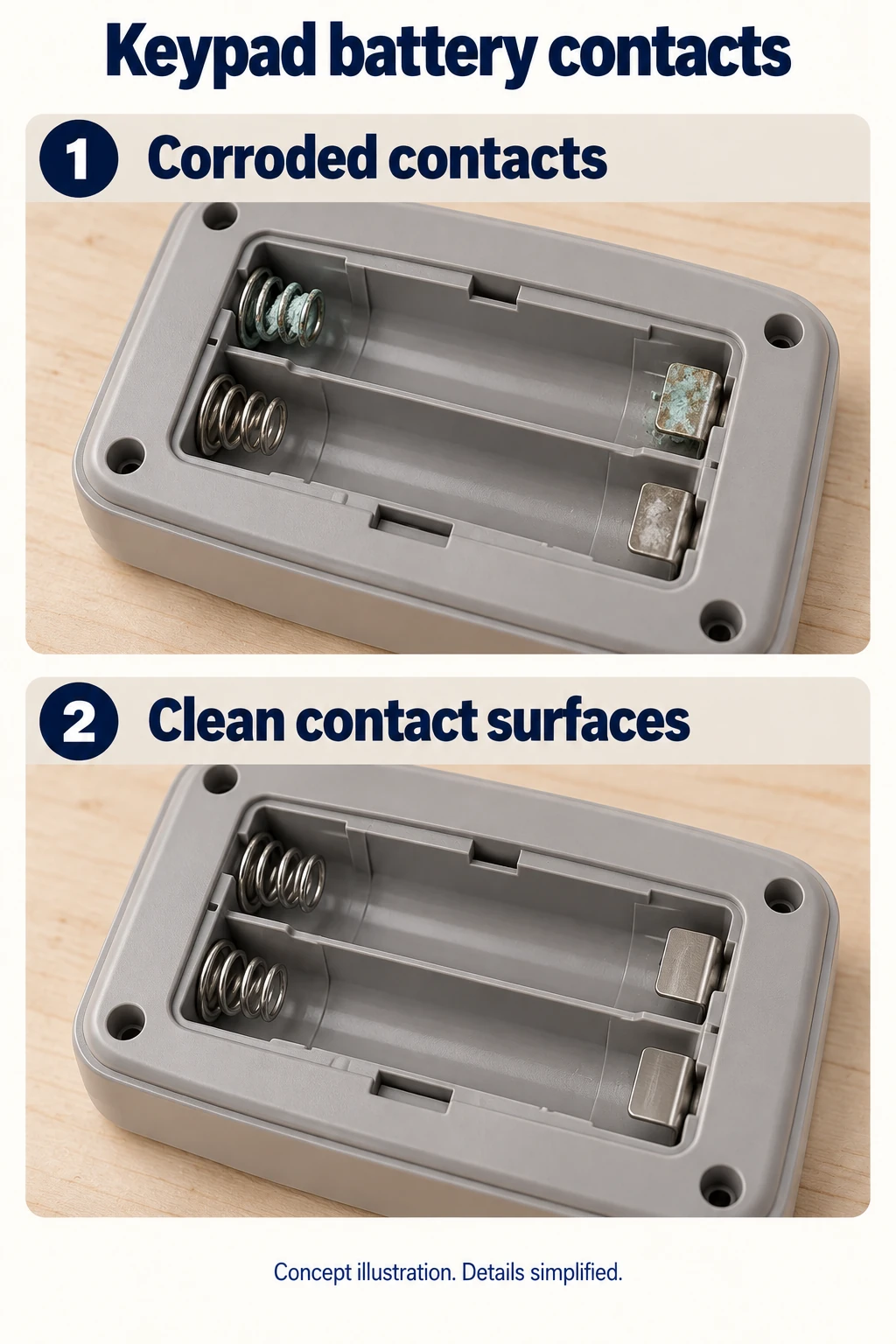
Battery-contact condition is one inspection point. This is an example battery compartment, not a universal battery type or cleaning method. Water-damaged or weakened contacts may require keypad replacement.
Select the image to enlargeNeed help with this symptom?
Call for current service availability, or send the symptom through the form so the request arrives with the correct problem context.
The wall button is wired directly, while the keypad depends on battery power, a stored PIN, programming, radio range, compatibility, and the opener receiver. If the wall control and a known remote both work, keep the diagnosis in the keypad or radio path first.
A temporary or one-time PIN may have expired or been configured for limited access, lock mode may be active, or the entered PIN may no longer be stored. Check the exact keypad and opener instructions.
Usually not. Many systems allow a keypad to be learned without clearing memory. Erasing everything should be reserved for lost devices, unknown access, or a documented model-specific reset.
Some LED drivers create radio interference that reduces remote and keypad range. Compare operation with the light on and off. If the manual permits a bulb-removal test, disconnect electrical and backup-battery power before handling bulbs, let them cool, and reassemble the lamp area before restoring power.
A lit keypad proves it has some power; comparing every other control reveals where the command is being lost.
These references support the general safety guidance above. Your door and opener model instructions control for model-specific adjustments.
If the keypad fails while another control works, investigate the keypad’s model, power and programming path. If every control fails, the keypad is not yet established as the cause.
Use what is already known about the wall control, remote and keypad. One working control shows that a command can reach the opener at that time; it does not make every intermittent issue a keypad fault. Record whether the keypad wakes, accepts entries or produces an indication, without sharing the access code in photos or a service message.
Battery type, programming sequence, supported opener generation and lockout behavior depend on the actual keypad. Read the model label and matching manufacturer instructions before changing a battery or programming. A “universal” replacement still has a compatibility list. Do not repeatedly guess codes or erase all remotes as a first step.
Note whether the symptom began after a battery change, rain, impact or opener replacement. Visible corrosion or a damaged housing is useful evidence, not a request to scrape contacts or bridge them. If the keypad continues to fail after ordinary manual-approved user checks, request device/receiver diagnosis rather than ordering a new opener on this symptom alone.
Genie’s GK support covers GK, GK-R and GK-BX identifiers and specifies two AAA alkaline batteries. It says programming is retained during battery replacement. Use the named keypad’s compartment illustration and programming instructions; another brand or generation may differ. A correct new battery does not establish receiver compatibility, an intact device or a valid stored program. Do not share the PIN or erase the receiver’s other controls as a first step.
Record whether this keypad—not every remote—failed after rain, whether the accessible housing is visibly cracked and whether another authorized control worked at that time. Photograph the exterior without a PIN. Do not spray, heat, scrape or bridge contacts to make a wet unit work. Keep it out of service until the maker or provider explains the device-specific remedy.
| Observation or choice | What it changes | What to record |
|---|---|---|
| Another control works | Keypad path becomes the focus | Which control worked and when |
| All controls fail | Wider opener/door fault remains possible | Opener response and door condition |
| Keypad does not wake | Power or device fault may be involved | Model and correct battery specification |
| New opener or keypad | Compatibility and programming need confirmation | Exact device and opener generation |
| Checked item | Named-product finding | Primary source |
|---|---|---|
| Battery | Two AAA alkaline batteries; verify GK-family identity | Genie GK wireless keypad support |
| Programming after battery replacement | Existing programming retained; a separate fault may remain | Genie GK wireless keypad support |
| Compartment and programming | Use the illustrated GK instructions, without sharing a PIN | Genie GK keypad instructions |
No access code, Learn-button sequence or receiver-erasure procedure is requested. The linked English instructions carry a January 2018 revision; the PDF was downloaded and visually checked on October 4, 2026. That check date is not a new manual revision.
Your record
Use information already observed safely, or supplied in writing. An empty field means the answer still needs confirmation.
Do not enter or photograph your keypad PIN.
Your notes are not sent or saved. Tool-use measurement records the action only, without your entries.
References: Genie: official owner-manual directory · Genie: universal remote instructions · Genie GK wireless keypad support · Genie GK keypad instructions
Editorial additions last reviewed October 4, 2026. Prepared with AI assistance, checked against the references below and revised after a separate AI review of factual scope and overlap. This is editorial guidance, not a technician inspection or a certification of your equipment.
Source check dates describe the review of the reference. They do not change a manual’s revision or establish current availability, price, compatibility or site suitability.
One Request. Three Simple Steps.
No need to leave this page. You can change your answers at any step.
Your request is sent to Anderson. Appointment timing and any visit charge are confirmed with you.
Request submitted
Your request has been accepted for delivery to Anderson. A team member must confirm availability before any appointment is booked.
Need service now? Call (203) 902-3902 to confirm availability.
From our customers
3 weeks ago
The service was fantastic- courteous, knowledgeable and honest.Excerpt from Google review
a month ago
Very very professional guys good jobs good service
3 months ago
Great worker
3 months ago
They replaced three garage door motors for me, and the service was excellent from start to finish.Excerpt from Google review
4 months ago
Very good service and very polite
4 months ago
Very good work, polite and flexible in scheduling appointments.
Reviews from Google. Rating and relative dates checked October 1, 2026. This is a dated snapshot, not a live feed.
Serving your home with pride
Call now to discuss the problem and check availability for your ZIP. The exact service address is confirmed before scheduling.
AI assistant · General guidance and service requests